
Related terms people compare
- online invoice generator
- invoice maker
- invoice format PDF
- billing software
- payment reminder workflow
Free Tool
Calculate an invoice due date from the invoice date and payment terms. Use Net 7, Net 15, Net 30, Net 45, Net 60, or custom days without signup.
Calculate an invoice due date from the invoice date and payment terms. Use Net 7, Net 15, Net 30, Net 45, Net...

Loading interactive tool...
The calculator or generator runs in your browser so the page stays fast and the result updates instantly.
Calculate Net 30 due date for a service invoice

Enter the invoice date shown on the document.
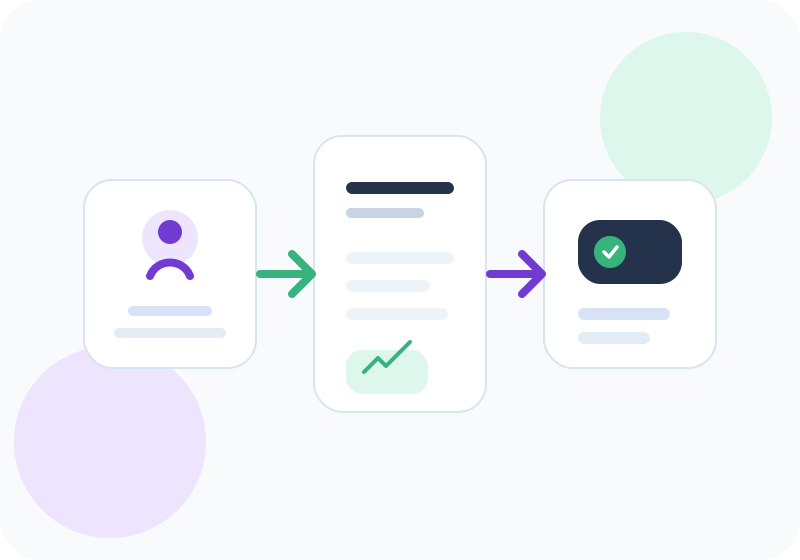
A useful invoice due date calculator should help you move from question to usable calculation quickly. Start with the business context, recipient details where relevant, dates, amounts, taxes, terms, and the next action. For everyday work, this keeps invoice due date calculator clear enough for freelancers, agencies, consultants, and small teams without rebuilding the workflow every time.
| What to check | Why it matters | InvoiceGennie flow |
|---|---|---|
| Input values | Amount, rate, date, and tax mode decide whether the result is useful. | Enter the values once and review the calculated result before using it. |
| Review fields | Correct identity, amount, and tax details avoid back-and-forth later. | Use related tools and examples to keep the next step consistent. |
| Workflow next step | One-off documents are useful, but tracking matters once volume grows. | Move to the dashboard when you need saved records and follow-ups. |
In 2026, buyers expect billing workflows to be fast, readable, mobile-friendly, and easy to revise. Calculate Net 30 due date for a service invoice If you use this invoice due date calculator once, keep the output simple. If you repeat the same workflow every week, save clients, standardize terms, and track follow-ups in one workspace.
The fastest path is to use the invoice due date calculator above, copy or use the result, and move into InvoiceGennie when you need saved clients, reminders, payment tracking, and cleaner billing records.
An invoice due date calculator helps you turn invoice payment terms into a clear calendar date. This is useful when a client asks when payment is due, when you are preparing a reminder, or when you want to check whether an invoice should be treated as overdue.
Start with the invoice date exactly as it appears on the document. Then choose the payment terms agreed with the client. Net 30, Net 45, and Net 60 are common terms, but freelancers and small service teams often use shorter timelines such as Net 7 or Net 15 when cash flow matters.
The calculator gives you the due date and a simple status. If the due date is in the future, you can see how many days are left. If the due date is today, the invoice is ready for a same-day reminder. If the due date has passed, the invoice can move into an overdue follow-up workflow.
The most common mistake is writing vague terms such as “payment soon” or “due this month” instead of a clear due date. Clients process payments faster when the invoice includes both the payment term and the actual due date.
Another issue is mixing quote dates, delivery dates, and invoice dates. If your agreement says Net 30 from invoice date, the count starts from the invoice date. If your agreement says payment is due after delivery or acceptance, document that clearly before calculating reminders.
For recurring work, consistent due dates reduce back-and-forth. Use the same terms across similar clients unless a contract requires different timing. That makes aging reports and overdue reminders easier to manage.
This topic can scale into practical guides for payment terms and collection workflows. Useful follow-up queries include how to write Net 30 payment terms on an invoice, how to calculate Net 45 days from invoice date, when to send a payment reminder, and how to track overdue invoices without spreadsheets.
For users creating a full billing document, link the result to the free invoice generator. For users chasing payment, link the due date to the payment reminder generator and receipt generator so the full workflow stays connected.
Add the payment term days to the invoice date. For example, an invoice dated June 1 with Net 30 terms is due 30 calendar days later.
Net 45 means the customer should pay within 45 calendar days from the invoice date unless your contract says otherwise.
Yes. Choose Net 7, Net 15, Net 30, Net 45, Net 60, Net 90, or custom days to calculate the payment due date.
No. The invoice due date calculator works in the browser and does not require login or account setup.
Use these linked tools to complete your billing and collections workflow.
Tool
Use InvoiceGennie free invoice generator to create invoice PDF online. Add GST, HSN or SAC, UPI QR, logo, client details, and download without signup.
Tool
Create professional payment reminder messages with invoice details, due date, and outstanding amount.
Tool
Generate invoice receipts and payment receipts online with payer details, invoice reference, amount, and payment method.
Tool
Estimate overdue invoice late fees and interest from invoice amount, due date, payment date, grace days, annual interest, and flat fee.
Practical guides that help teams execute invoicing and accounting workflows faster.
Guide
Learn how to create a professional invoice with GST, payment terms, and due dates using a simple step-by-step framework.
Guide
Understand invoice vs bill differences, when to use each term, and how payment workflows change in B2B operations.
Browse professional invoice, receipt and credit note templates.
Client-retainer and milestone invoice examples for agencies.
Structure winning quotes with terms, taxes and validity.
Use proforma formats before goods dispatch or project kick-off.
See how to bill retainers with period coverage, scope summary, and payment terms.
Learn the billing structure Indian service teams use for GST-ready invoices.
Create the invoice, calculate the due date, send reminders, and issue receipts from connected free tools.