
Related terms people compare
- online invoice generator
- invoice maker
- invoice format PDF
- billing software
- payment reminder workflow
Guide
WhatsApp payment reminders work best when they are short enough to read instantly but specific enough for the client to act on without asking follow-up questions.
WhatsApp payment reminders work best when they are short enough to read instantly but specific enough for the...
Keep the message short and invoice-specific.
Start with the client name and invoice reference.
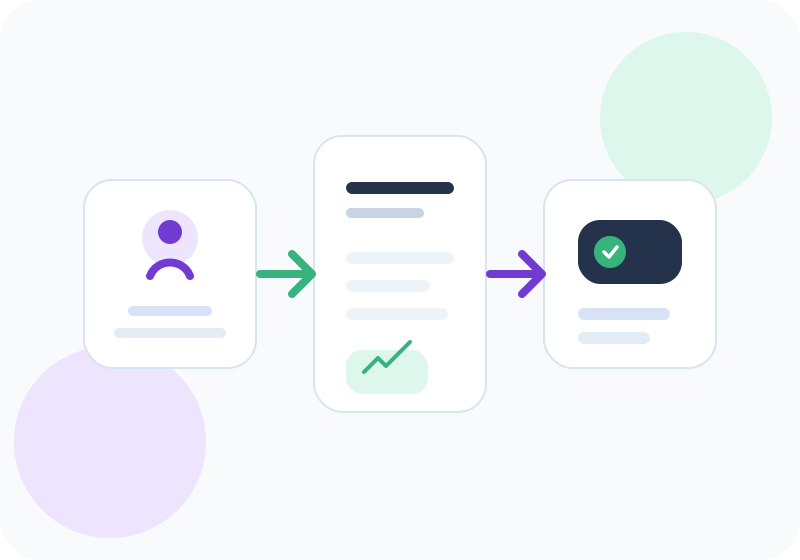
A useful payment reminder whatsapp message should help you move from question to usable message quickly. Start with the business context, recipient details where relevant, dates, amounts, taxes, terms, and the next action. For everyday work, this keeps payment reminder whatsapp message clear enough for freelancers, agencies, consultants, and small teams without rebuilding the workflow every time.
| What to check | Why it matters | InvoiceGennie flow |
|---|---|---|
| Reminder context | Invoice number, amount, due date, and tone keep follow-ups specific. | Generate a ready-to-copy message and adjust the tone before sending. |
| Review fields | Correct identity, amount, and tax details avoid back-and-forth later. | Use related tools and examples to keep the next step consistent. |
| Workflow next step | One-off documents are useful, but tracking matters once volume grows. | Move to the dashboard when you need saved records and follow-ups. |
In 2026, buyers expect billing workflows to be fast, readable, mobile-friendly, and easy to revise. Start with the client name and invoice reference. If you use this payment reminder whatsapp message once, keep the output simple. If you repeat the same workflow every week, save clients, standardize terms, and track follow-ups in one workspace.
The fastest path is to use the payment reminder whatsapp message above, copy the message, and move into InvoiceGennie when you need saved clients, reminders, payment tracking, and cleaner billing records.
A useful WhatsApp reminder should tell the client what needs attention without forcing them to search through an old email thread. Include the invoice number, amount, due date, and the action you want the client to take.
Use the templates below as starting points and replace every bracketed value before sending. Keep the tone aligned with the payment stage instead of sending the same urgent message before and after the due date.
Before the due date, the message should feel helpful. On the due date, it can be direct but neutral. After the invoice becomes overdue, ask for a specific payment date. A final notice should remain professional while clearly stating that the invoice needs immediate attention.
Do not threaten legal action or late fees unless those terms were agreed in advance and your business is prepared to follow the relevant process. The goal is a clear response and payment, not an argument in chat.
Check the client name, invoice number, outstanding amount, original due date, payment instructions, and the latest payment status. If the client has already paid, a reminder sent from an outdated spreadsheet damages trust.
Use the WhatsApp reminder generator when you want a personalized version, and use the invoice due date calculator when the exact Net-term date is unclear. After payment arrives, issue a receipt using the same invoice reference.
Yes, WhatsApp works better with short, direct messages that still contain invoice number and amount.
Yes, proactive reminders often reduce overdue invoices and make follow-ups easier.
Avoid vague wording, missing invoice references, or an overly aggressive tone too early in the reminder cycle.
Use these linked tools to complete your billing and collections workflow.
Tool
Use InvoiceGennie free invoice generator to create invoice PDF online. Add GST, HSN or SAC, UPI QR, logo, client details, and download without signup.
Tool
Create short, professional WhatsApp payment reminder messages with invoice number, due date, and outstanding amount.
Tool
Create professional payment reminder messages with invoice details, due date, and outstanding amount.
Tool
Generate invoice receipts and payment receipts online with payer details, invoice reference, amount, and payment method.
Practical guides that help teams execute invoicing and accounting workflows faster.
Guide
Learn how to create a professional invoice with GST, payment terms, and due dates using a simple step-by-step framework.
Guide
Understand invoice vs bill differences, when to use each term, and how payment workflows change in B2B operations.
Browse professional invoice, receipt and credit note templates.
Client-retainer and milestone invoice examples for agencies.
Structure winning quotes with terms, taxes and validity.
Use proforma formats before goods dispatch or project kick-off.
See how to bill retainers with period coverage, scope summary, and payment terms.
Learn the billing structure Indian service teams use for GST-ready invoices.
Create documents, save clients, track payment status, and keep follow-up work connected after using this guide.